
The window between framing inspection and drywall is the most valuable window in any remodel. What you wire now costs a fraction of what it’ll cost to fish wire through finished walls later, sometimes ten times less. If you’re standing in an open-wall house right now trying to decide what to run, this post is written for you.
TL;DR
- Keep C-10 for electrical power wiring and C-7 for low-voltage/data where that split applies. Confirm who holds which contract.
- Cable, platform, and neutral choices are product- and box-specific. Cat6A home-runs and a media panel are a starting checklist, not a required platform.
- Every smart switch listing that needs a neutral wants 14/3 or 12/3 at the box. Adding it at rough-in is cheaper than fishing later.
- Smart panel options like Span stay as published ranges on the related cost pages. They matter when the main panel is already being replaced.
- Pull permits before drywall. Bright Pro Electric does not pull them.
What to wire vs. what to leave wireless in 2026
Not everything needs wire. That’s the honest starting point.
Z-Wave and Wi-Fi can run a doorbell chime and other low-stakes automations. Smoke alarms are not in that group. Hardwired, interconnected smoke alarms follow the adopted code and the electrician’s permit path. Do not skip that rough-in because a wireless hub exists.
What you should wire is anything where latency, bandwidth, or reliability actually matters. That means:
- Hardwired ethernet to every TV location, office desk, and media closet. Wi-Fi is convenient; wired is fast and consistent. In San Diego’s dense coastal neighborhoods, spectrum congestion is real.
- Conduit in the walls wherever you’re not sure. Empty ½-inch ENT conduit costs almost nothing during rough-in and gives you future flexibility for fiber or coax you haven’t spec’d yet.
- Dedicated 20-amp circuits for home office and home theater locations. Smart plugs and power strips don’t fix an undersized circuit.
- Low-voltage rough-in for in-wall speakers. The wire is cheap. The labor to add it later isn’t.
What can stay wireless: smart plugs, portable sensors, video doorbells (unless you want POE), and most battery-powered locks. The battery tech on these has improved enough that wiring them is rarely worth the cost.
The general rule: if it’s fixed in place and you’ll use it every day, wire it. If it moves or you might replace it in two years, keep it wireless.
Cat6, fiber, and structured media panels
Run Cat6A to every room. Not Cat5e. Cat6A. The cost difference per foot is minimal, and it supports 10-gigabit at full residential runs. You don’t have 10-gig internet today, but you might in 2028, and your walls will be closed by then.
Home runs matter. Every data drop should run back to a single structured media panel, not daisy-chained, not looped. A central panel in a utility closet or garage lets you patch, re-route, and troubleshoot without opening walls. Budget for a 2U or 4U rack enclosure if you’re serious about it. They’re cleaner than a pile of wall warts and a consumer router shoved on a shelf.
On fiber: it’s worth a conversation for runs over 100 feet or any run that crosses a garage, attic, or exterior-adjacent space where electrical interference could degrade copper. Fiber is immune to EMI and future-proof for bandwidth. The gear to terminate it has gotten affordable. If your AV integrator or IT-savvy family member is already in the mix, ask about fiber backbone from the panel to a secondary switch location.
What about coax?
Coax is nearly dead in new installs. RG6 to TV locations is still a reasonable call if the homeowners want satellite or antenna options, but don’t run it everywhere. One drop per exterior-facing room is plenty. Skip interior rooms entirely.
On smart home wiring jobs in San Diego, a common licensed-electrician spec is Cat6A home-runs to every room, a structured media enclosure at the panel, and conduit sleeves at any location where the homeowner isn’t sure yet. That last part saves a lot of calls six months later. It is a starting checklist, not Bright Pro’s required platform.
Neutral wires at every switch box (and why)
This is the one that trips up the most remodels, and it’s easy to get right while walls are open.
Most smart switches that list a required neutral need a neutral at the box to operate without flickering or buzzing. Older California homes were often wired with just a hot and a switch leg. That worked for dumb switches. Many smart switches need a complete circuit to power their radio and processor even when the light is off. Some listings, including certain Lutron Caseta models, are designed for no-neutral boxes. Match the device listing to the box, not a market-wide rule.
If you’re doing a remodel and your electrician is pulling new wire to switch locations, pull a neutral in every box unless you have already chosen a listed no-neutral device. It’s a three-conductor cable (14/3 or 12/3) instead of two-conductor. The price difference is a few dollars per box during rough-in. The cost to add it later, after drywall, paint, and finish work, can run several hundred dollars per switch location.
We wrote a detailed breakdown on what happens when your smart switch has no neutral wire if you’re dealing with an existing location that was missed. It’s fixable, but you’ll wish you’d caught it at rough-in.
Lighting control: Lutron Caseta vs. RA3 vs. wired DMX
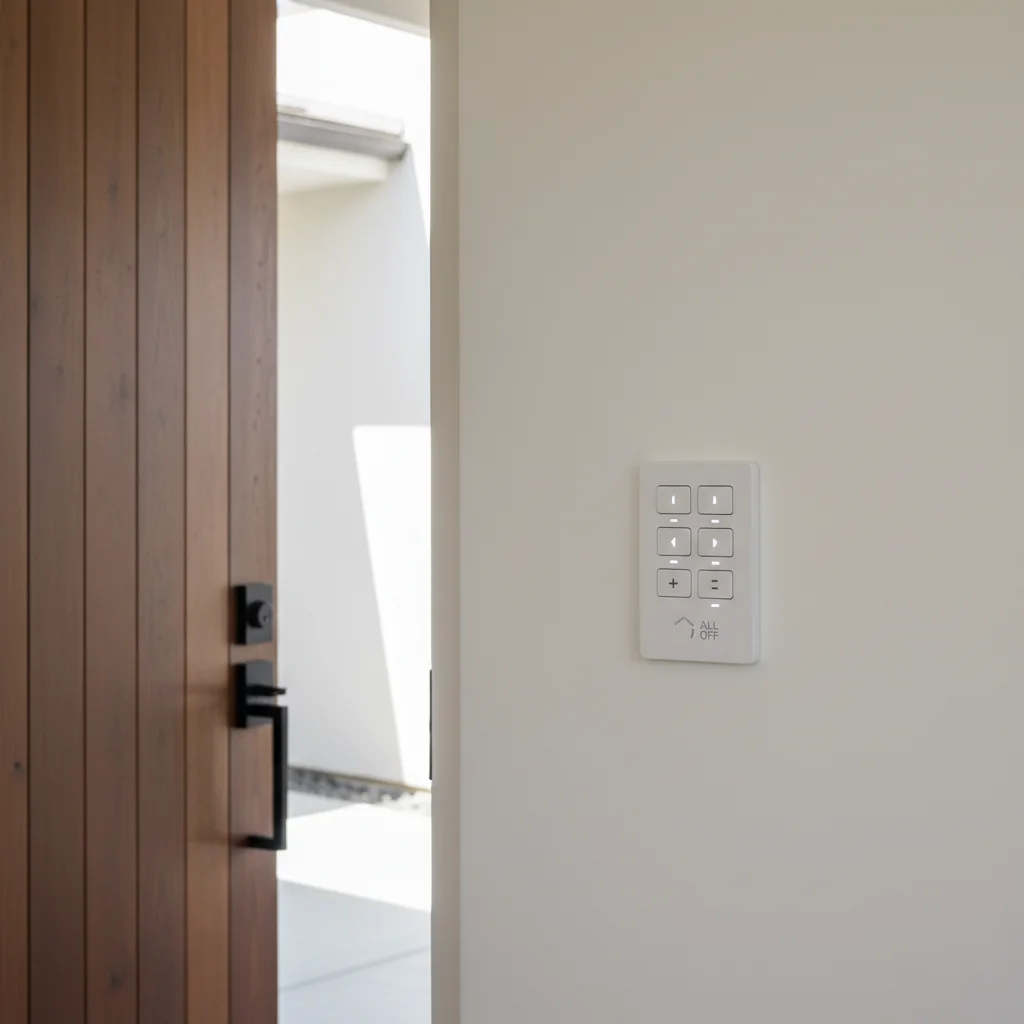
Lutron is a common integrator pick for wireless lighting control. That is field practice, not a Bright Pro ranking of every brand. Their Clear Connect RF protocol doesn’t share spectrum with Wi-Fi or Z-Wave, which is why Caseta switches can still respond when a router needs a reboot.
Here’s how to choose:
Caseta is the right call for most single-family remodels. It’s affordable, works with every major smart home platform, and the app is solid. Keypads are available. The ecosystem tops out around 75 devices per hub, which covers most homes. Electricians often stock it. Same-day availability is a supplier check that day, not a county inventory rule.
RA3 (RadioRA 3) is Lutron’s professional-tier system. You get larger device counts, more sophisticated scene programming, and better keypad options, including the Sunnata Touch series that looks genuinely high-end. RA3 requires a Lutron-certified pro for programming. If you’re doing a whole-home remodel with a dedicated AV or smart home integrator, RA3 is worth the premium. Integrators typically spec it where the client has a real lighting design, not just “I want to dim from my phone.”
Wired DMX is for dedicated entertainment rooms, home theaters, or architectural lighting where you need precise individual fixture control and have a professional lighting designer involved. It’s overkill for general residential use. If you’re asking whether you need it, you probably don’t.
One practical note: regardless of which Lutron system you choose, the load wiring is the same. Pull neutrals at every box unless the chosen listing is no-neutral (see above), and you can swap between Caseta and RA3 hardware later without rewiring.
Smart panels: Span, Lumin, and Schneider compared
The smart electrical panel market has matured fast. If you’re already doing a whole-home rewiring or panel replacement as part of your remodel, it’s worth a serious look at upgrading to a panel with circuit-level intelligence.
Span Panel is the most consumer-friendly option. Every circuit gets real-time monitoring and can be controlled from an app. It integrates with solar and battery storage. The app is genuinely good. Span pricing on this page is the published range from the related cost article. Confirm the quote for circuit count. For San Diego homeowners already thinking about solar or a future battery backup, it is one listed path.
Lumin Smart Panel takes a different approach: it’s a sub-panel add-on that sits alongside your existing main panel rather than replacing it. That makes it a lower-cost entry point and a shorter installation. It’s a smart call when your main panel is newer and doesn’t need replacement but you still want load management and monitoring.
Schneider Electric Square D Energy Center is the most contractor-familiar option and pairs well with their home energy management ecosystem. It’s deeper in the solar/storage integration story and is often spec’d on new construction projects that are solar-ready from the start. The California Energy Commission has pushed hard on solar-ready construction standards, which makes this kind of infrastructure investment easy to justify.
All three are legitimate choices. The deciding factors are usually: are you replacing the whole panel or adding alongside it, and how deep does your solar/storage plan go?
How to brief your electrician before framing inspection
Your electrician can’t read the future. What they can do is rough-in infrastructure for every scenario you’ve thought through, but you have to tell them before the walls close.
Before your framing inspection, walk the job site with your electrician and cover these items specifically:
Room by room: Where does every TV go? Every desk? Every home speaker location? Where do you want keypad switches vs. single switches? Any art lighting or under-cabinet lighting planned?
Technology wishlist: Do you have a Lutron system spec’d, or are you undecided? Do you want a structured media panel? Any plans for solar, a battery, or an EV charger? (If EV is a possibility, rough-in a 60-amp circuit to the garage now, even if you don’t pull the charger for two years. EV charger installation after the fact is straightforward when the conduit is already there.)
Future-proofing asks: Empty conduit in exterior walls, attic, and garage. Low-voltage brackets at every planned TV location. Neutrals at every switch box.
Put it in writing. Email your electrician a room-by-room list the day before the rough-in walk. It gives them time to pull the right materials, and it creates a record if something gets missed. A good electrician will welcome it.
If you want a second opinion on a rough-in plan or you’re starting a remodel in San Diego County and want help thinking through the smart home scope, Bright Pro Electric matches licensed electricians who do this work. You can read more about what goes into a full smart home wiring project on our services page.
Frequently asked questions
Do I need a permit to run low-voltage wiring like Cat6 during a remodel?
Low-voltage data cabling (Cat6, speaker wire) generally doesn’t require its own permit in San Diego, but any work that involves your home’s 120V circuits does. The rough-in electrical permit covering your panel, circuits, and switch boxes must be pulled and pass inspection before drywall. Your licensed electrician handles the permit process and can bundle both scopes under one application.
How much does it cost to add neutral wires to every switch box during a remodel?
During open-wall rough-in, the cost is minimal, typically a few dollars per box in materials (14/3 vs. 14/2 cable) and minimal additional labor. The same job in a finished home requires drywall cuts, patching, and fishing wire, which can run $200-$500 per switch location. This is the single best reason to address it while walls are open.
What size conduit should I rough in for a future EV charger?
A 1-inch EMT conduit stub from the panel to the garage, capped at both ends, gives you flexibility for a 6 AWG copper or 4 AWG aluminum run to support a 60-amp EV circuit. If you know you’ll want a 48-amp Wall Connector at some point, sizing the conduit now costs almost nothing and keeps the future installation straightforward.
Which smart panel is worth it for a San Diego remodel?
If you’re already replacing the main panel or planning solar and battery storage, Span Panel is one listed option. Confirm installed cost from the related cost page and the electrician’s quote.
Can my general contractor’s framing crew handle the low-voltage rough-in?
Low-voltage stapling and cable pulls are sometimes handled by AV or structured cabling contractors, but anything that connects to your 120V system (panel circuits, switch boxes, neutral runs) must be done by a licensed electrician. The California Contractors State License Board (CSLB) distinguishes between C-7 (low-voltage) and C-10 (electrical) license classifications. Make sure your electrician holds the right one for the work they’re performing.
If you’re starting from scratch rather than mid-remodel, read what an electrician should do first when starting a smart home in San Diego for a broader overview of infrastructure priorities. If your thermostat is the first smart device you’re tackling, our C-wire installation guide for San Diego homes covers the most common power problem new smart home owners hit.
When to call us
Smart home rough-in work (structured media panels, neutral wires, dedicated circuits, panel-level upgrades) is licensed electrical work in California. It requires a permit on most remodel projects, and the work needs to pass rough-in inspection before drywall. This isn’t a DIY scope. If your general contractor’s framing crew is offering to “handle the low-voltage,” make sure a licensed electrician is still pulling permits and signing off on anything that touches your panel or carries line voltage. Bright Pro Electric does not pull permits. You can verify any contractor’s license through the CSLB license lookup before they step on your job site. Use contact and we’ll connect you with a vetted local electrician.